 IRP
IRPIRP Commerce Solutions
Role:
Deliverables:
This project is a UX/UI redesign initiative aimed at transforming the IRP eCommerce Platform’s user experience into a “modern financial” management system and designing for AI orchestration.
The core objective is to “financialise” the interface, particularly the “IRP Trader” module, so that it resembles a professional market trading terminal rather than a standard eCommerce admin system like Shopify or Magento.
Here is a summary of the project’s key components:
- Vision & Philosophy: The project operates on the principle that “eCommerce is ultimately about making money” and treats the platform as a tool for “Day Trading for Merchant Profit”. The design must convey seriousness, accuracy, and a focus on real-time market data, risks, and opportunities.
- Scope & Deliverables: The immediate requirement is to produce design concepts for a prototype. These pages include:
- IRP Shopper Admin: Login screen and standard admin grids/forms.
- IRP Trader: A “Mission Control” dashboard and a Sales Analysis page, which are data-heavy and focused on analytics.
- AI Integration: The new interface needs to visualize advanced AI capabilities, such as real-time buyer predictions, “Live Risk Pulses,” and automated intervention strategies, allowing traders to act as “AI orchestrators”.
- Target Audience: The design must support distinct personas, including merchant owners, eCommerce managers, and investors, balancing complex functionality with simplicity and ease of navigation
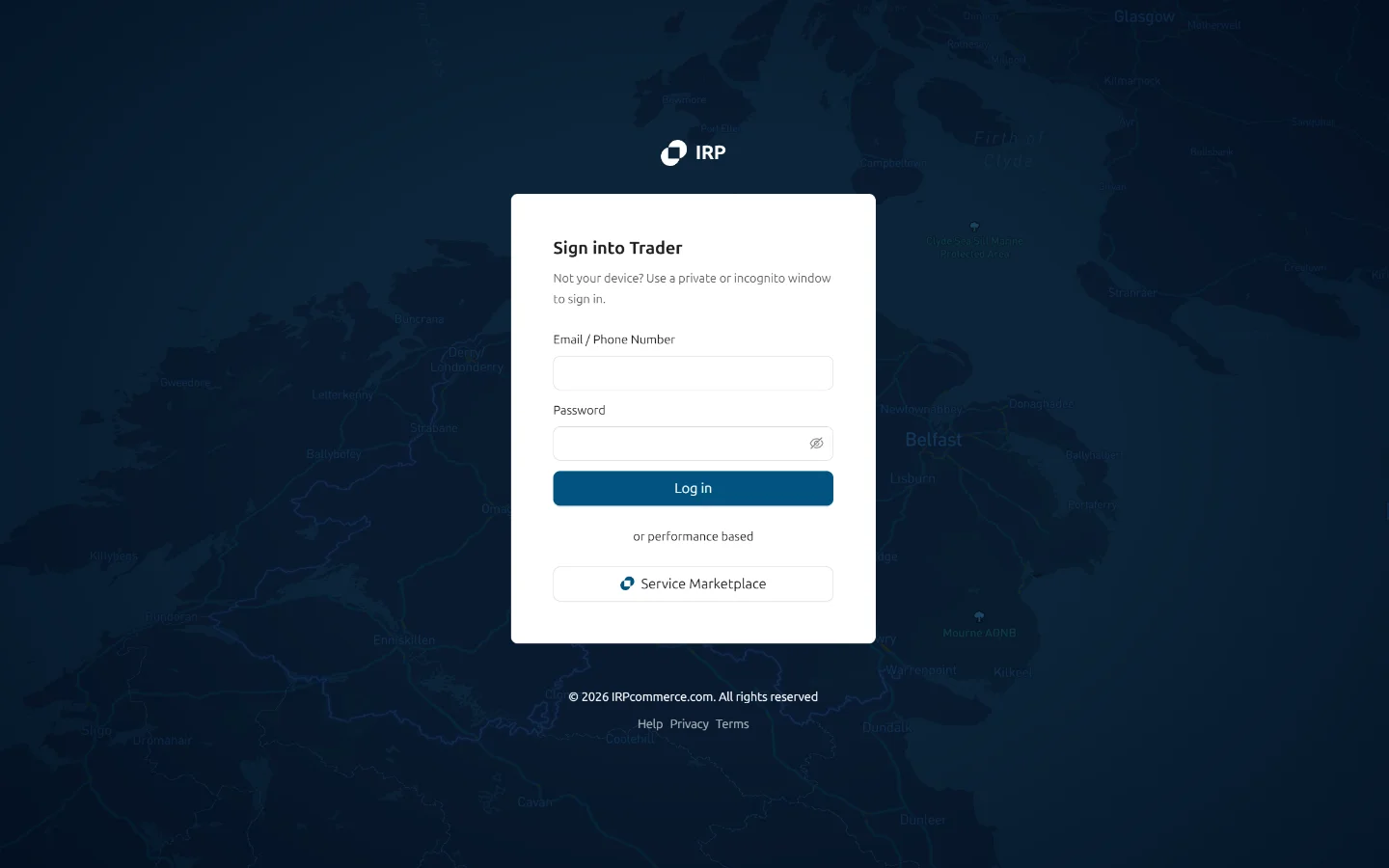
Screens Before
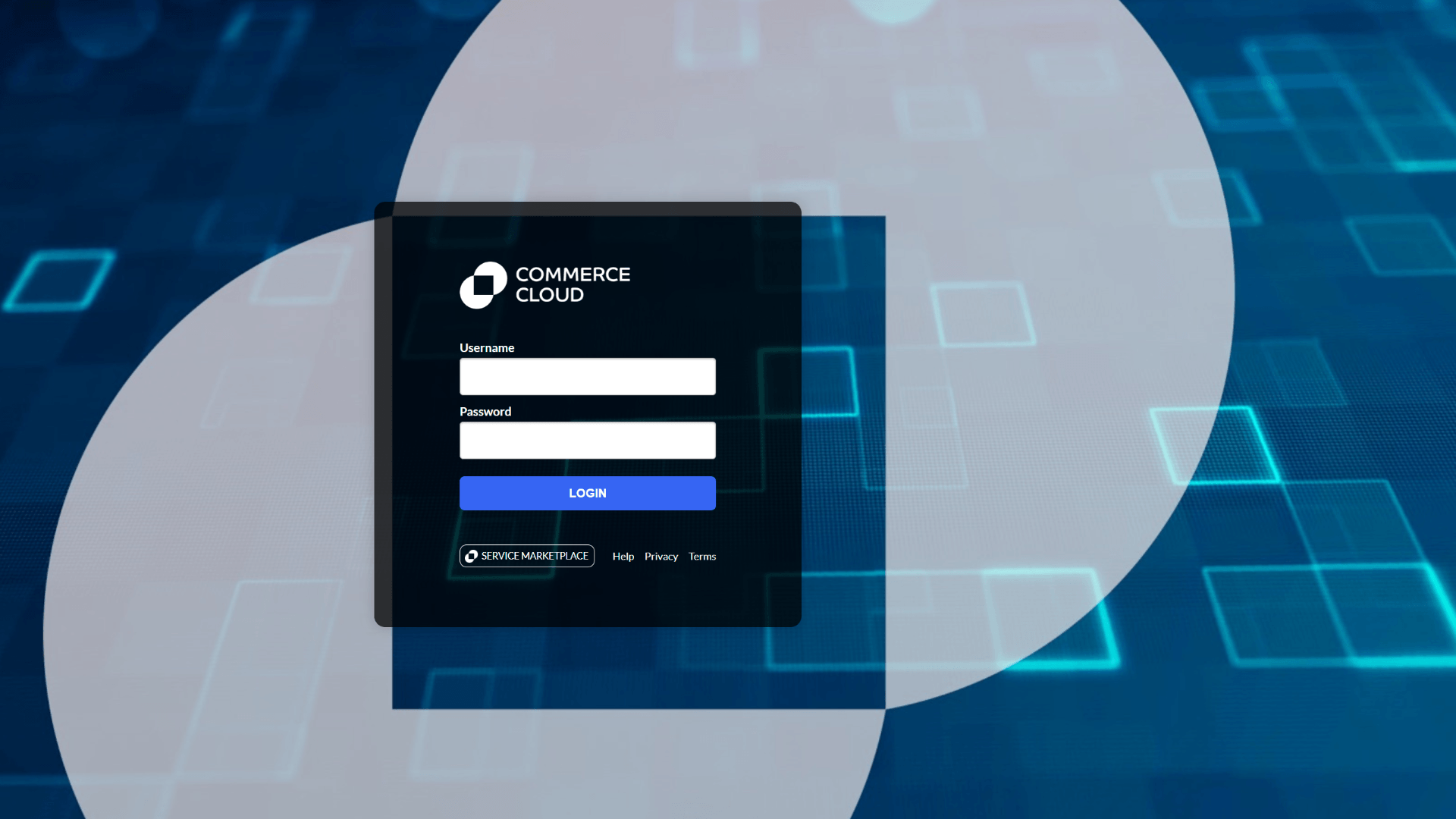
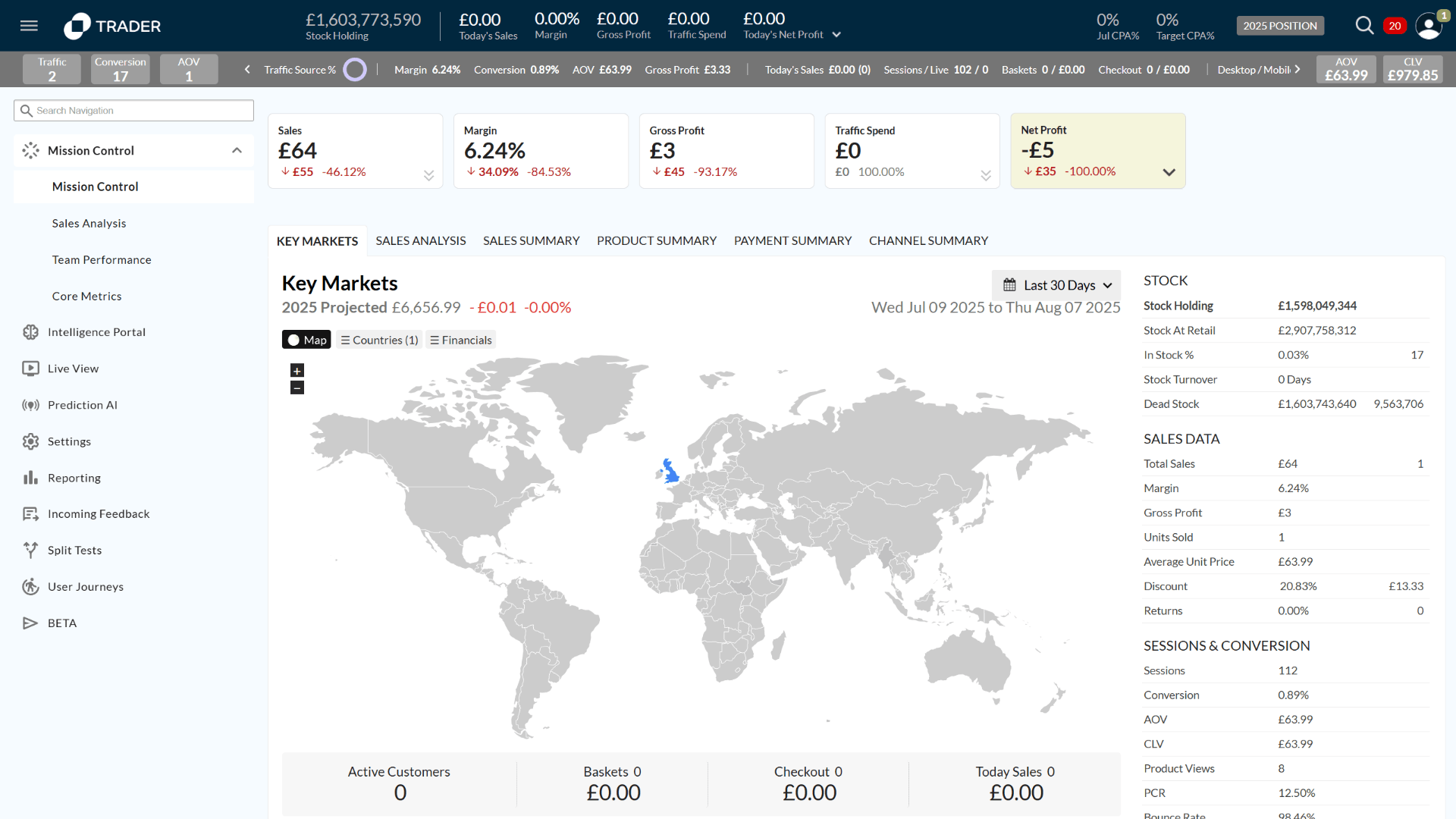
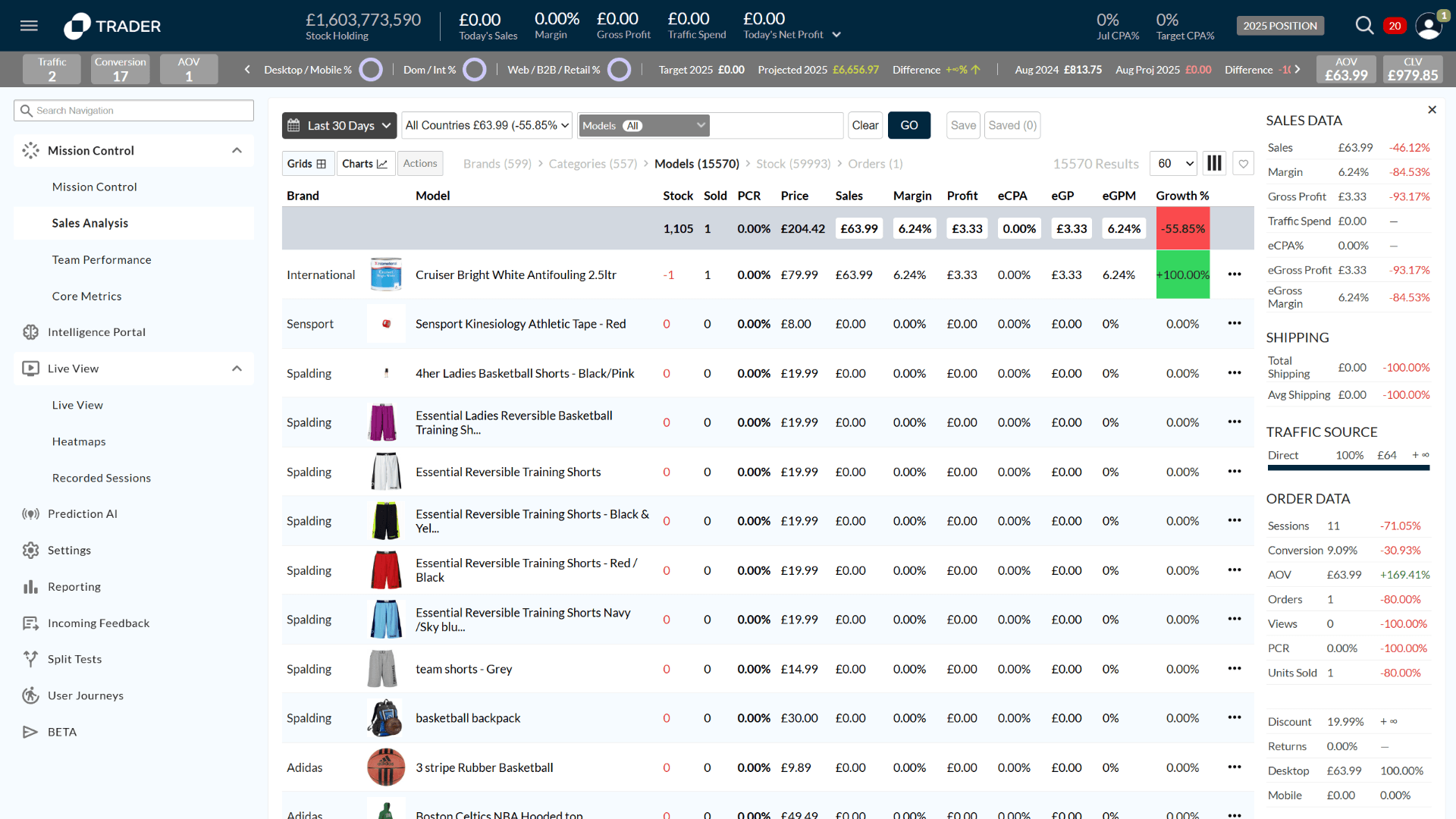
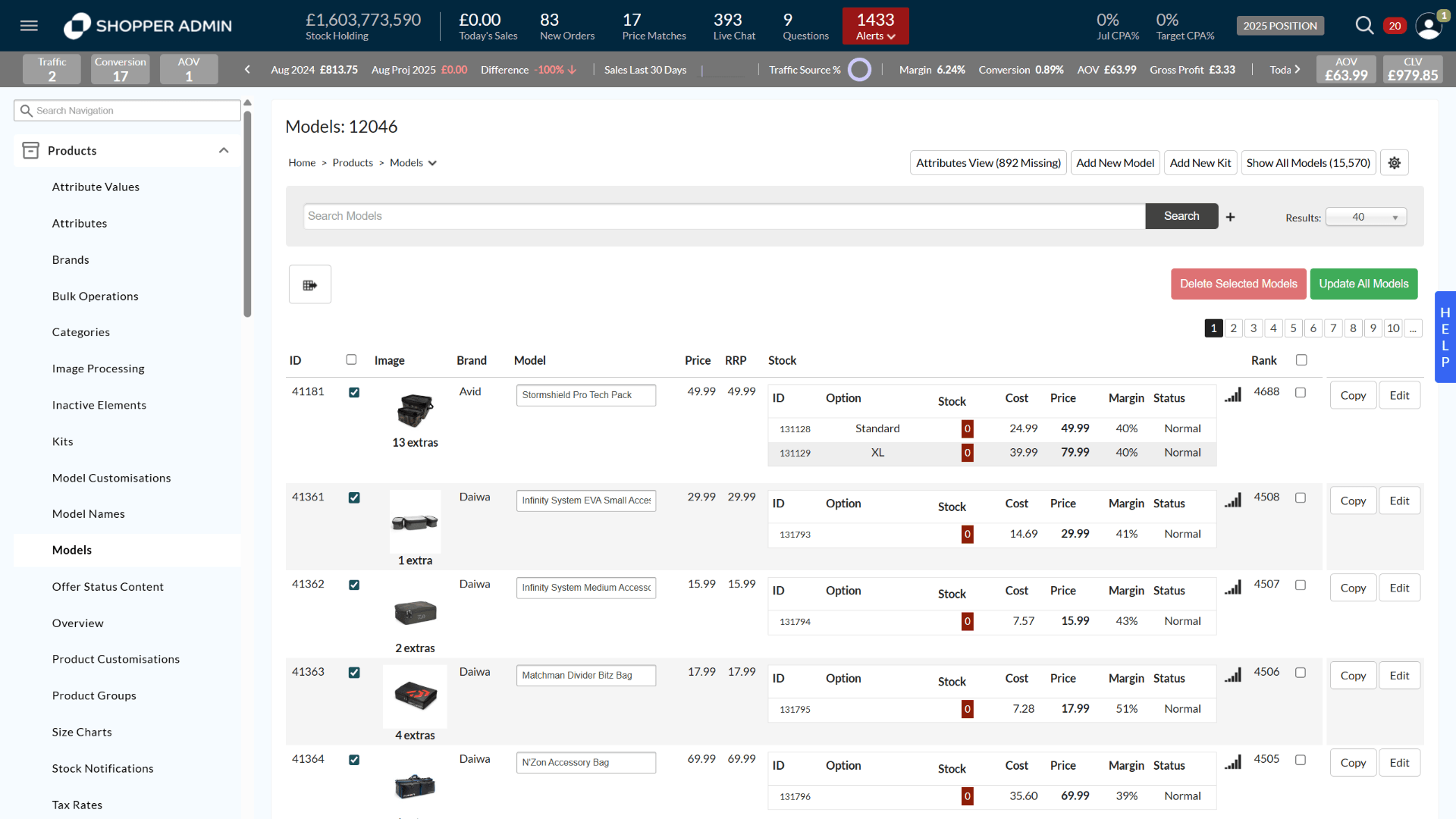
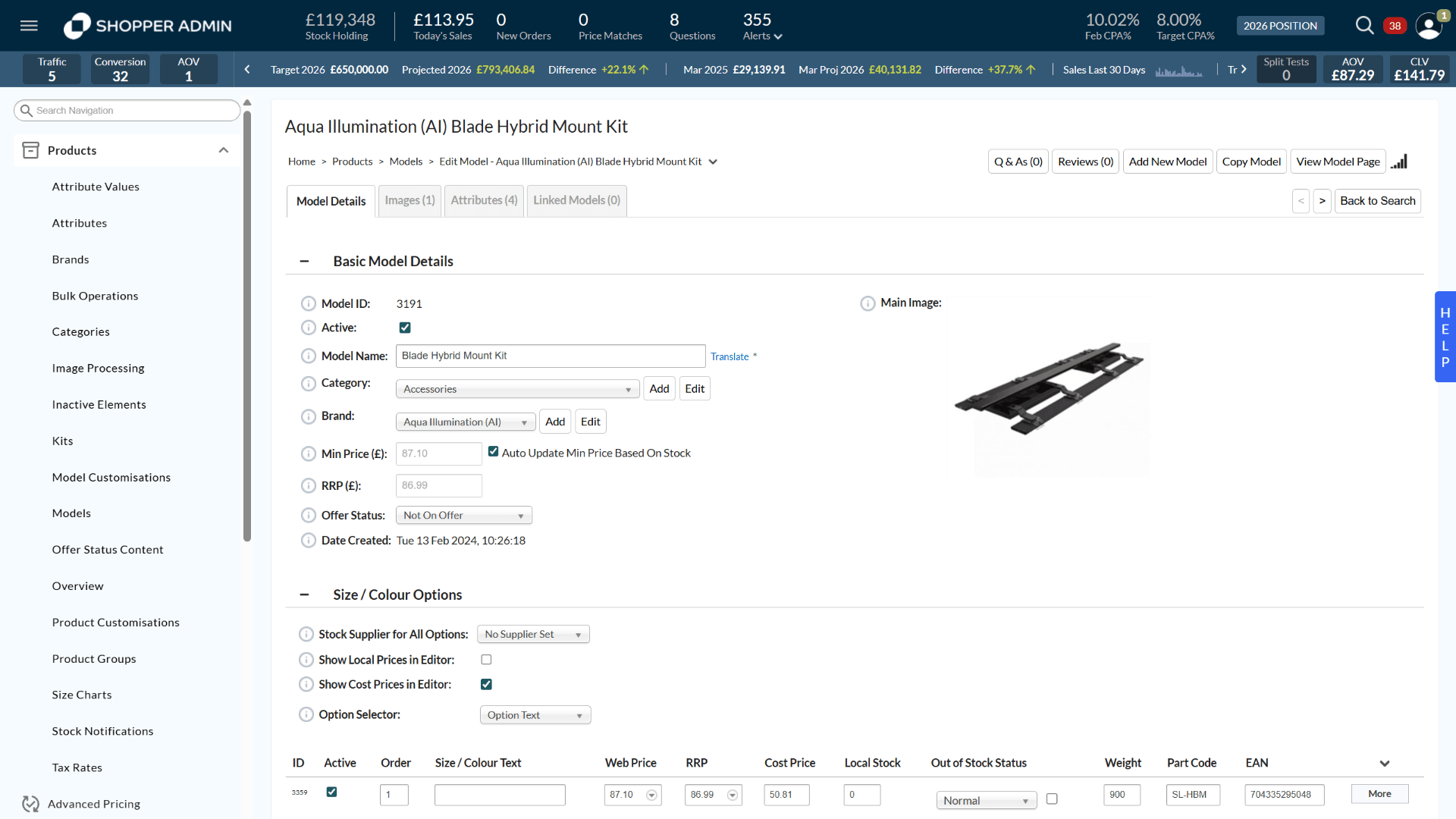
Designing for AI orchestration
The redesign treats the merchant as an AI orchestrator, not a form-filler. The interface had to make advanced AI capabilities legible and trustworthy at a glance: real-time buyer predictions, Live Risk Pulses, automated intervention strategies.
The core design problem: take complex, real-time predictive data and make it something an operator can actually act on. That meant deciding what to surface, what to suppress, and how to make a prediction explainable — a judgment problem before a UI one.
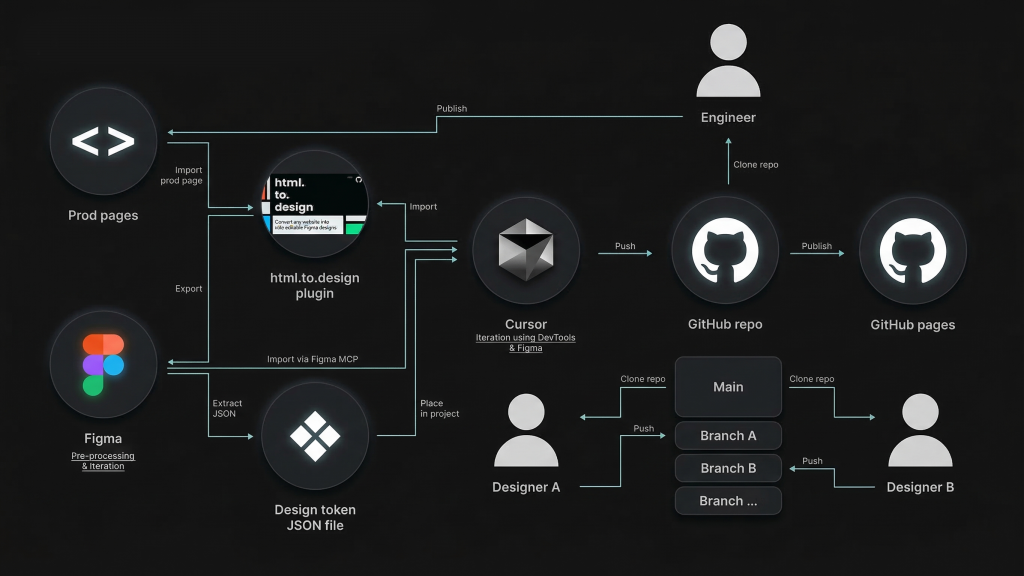
AI Prototyping Workflow
1. Input & Design Processing
- Prod Pages: Existing production pages serve as the starting point.
- html.to.design plugin: Used to Import production pages directly into Figma.
- Figma (Pre-processing & iteration): The central hub for design tweaks.
2. Development & AI Iteration
- Cursor (Iteration using DevTools & Figma): The primary AI code editor.
3. Version Control & Collaboration (GitHub)
The workflow uses a branched GitHub structure to manage contributions:
| Entity | Action | Target |
| Engineer | Clone / Publish | Works between the Main repo and Prod pages. |
| Designer A | Clone / Push | Works on Branch A. |
| Designer B | Clone / Push | Works on Branch B, often viewing via GitHub Pages. |
4. Deployment & Output
- GitHub Repo: Acts as the single source of truth with multiple branches (Main, Branch A, Branch B, etc.).
- GitHub Pages: Used to Publish and preview the prototype live.
- Production: The Engineer eventually publishes the final iterations back to the Prod pages.
Screens After
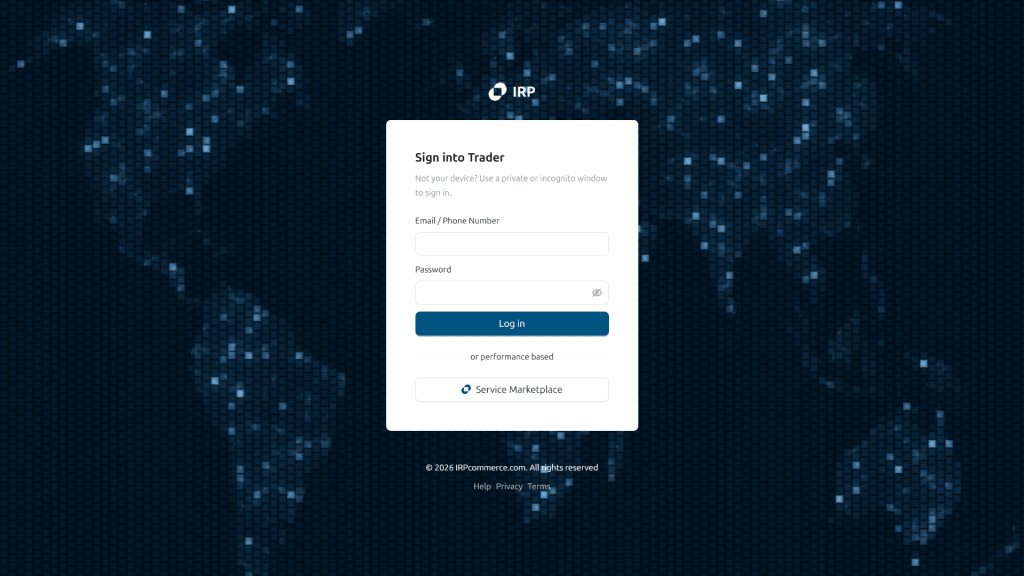
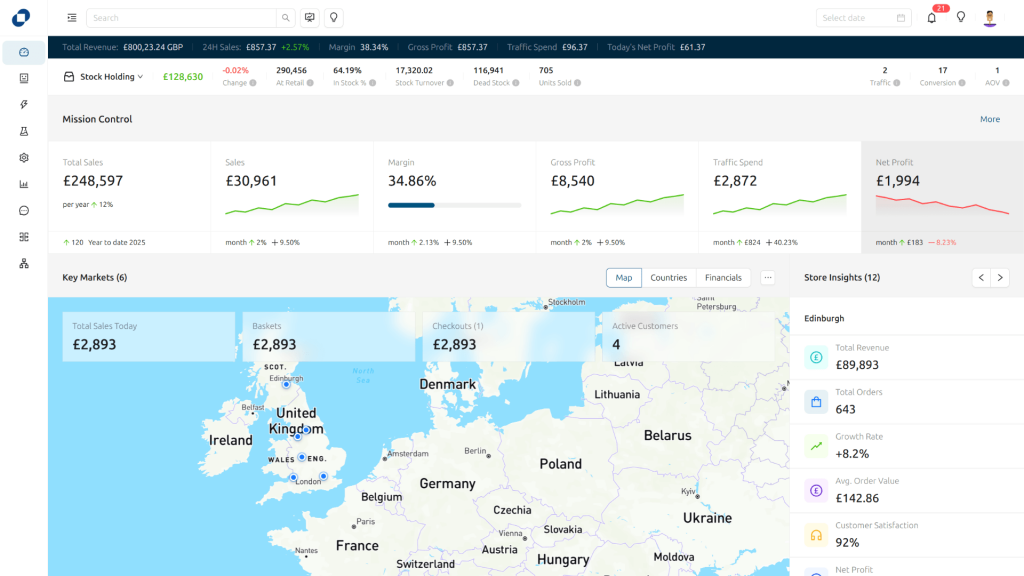
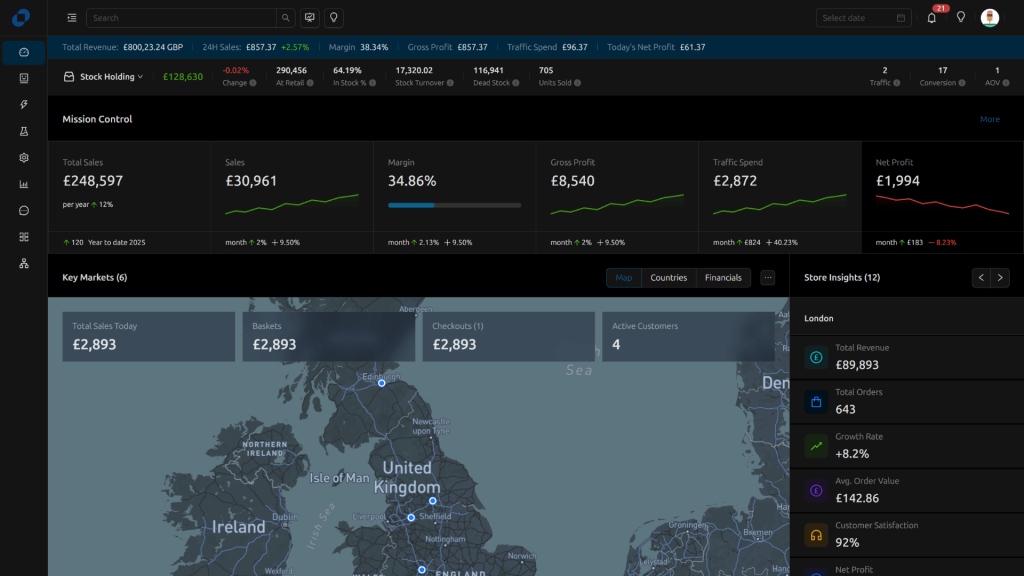
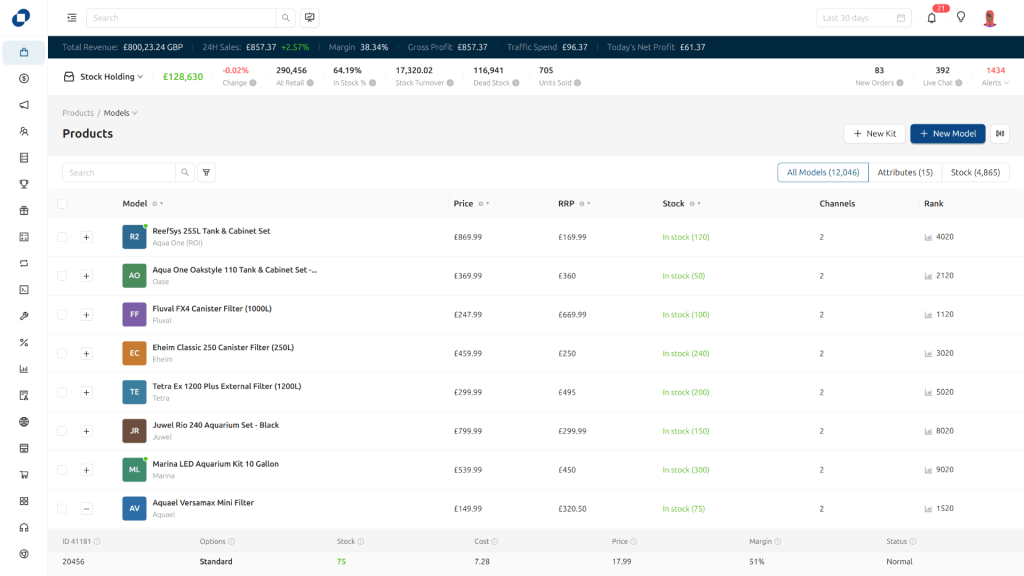
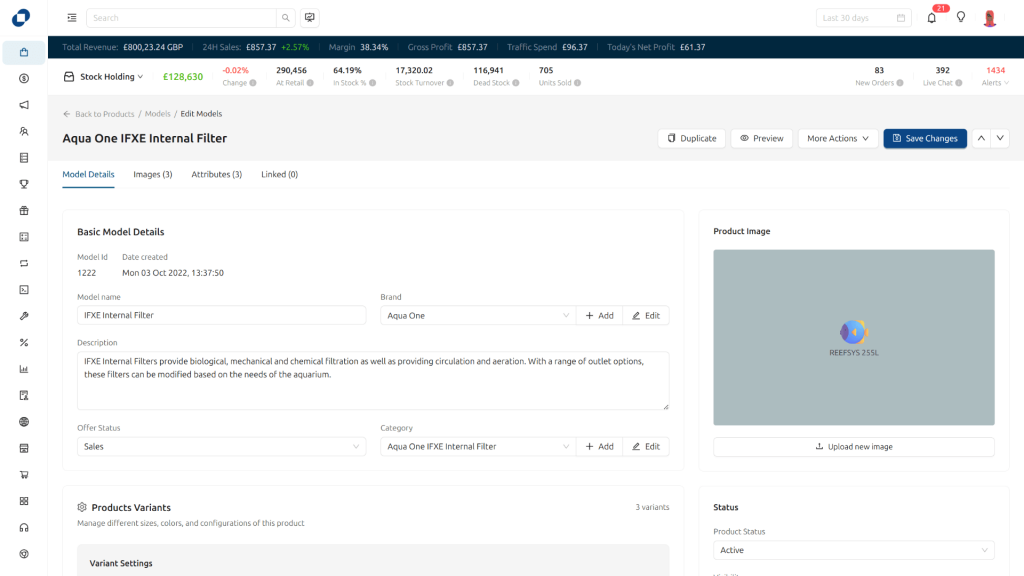
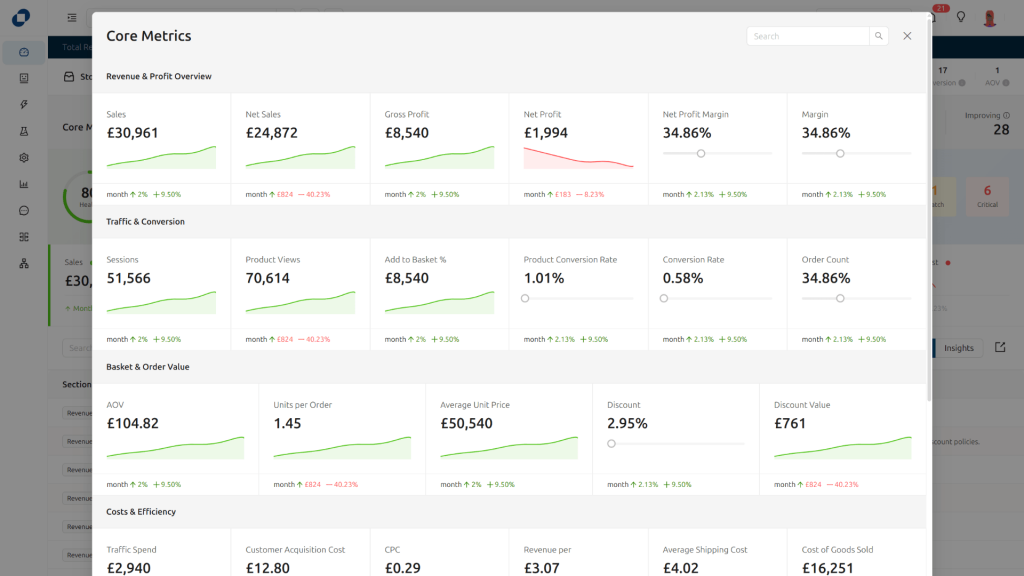
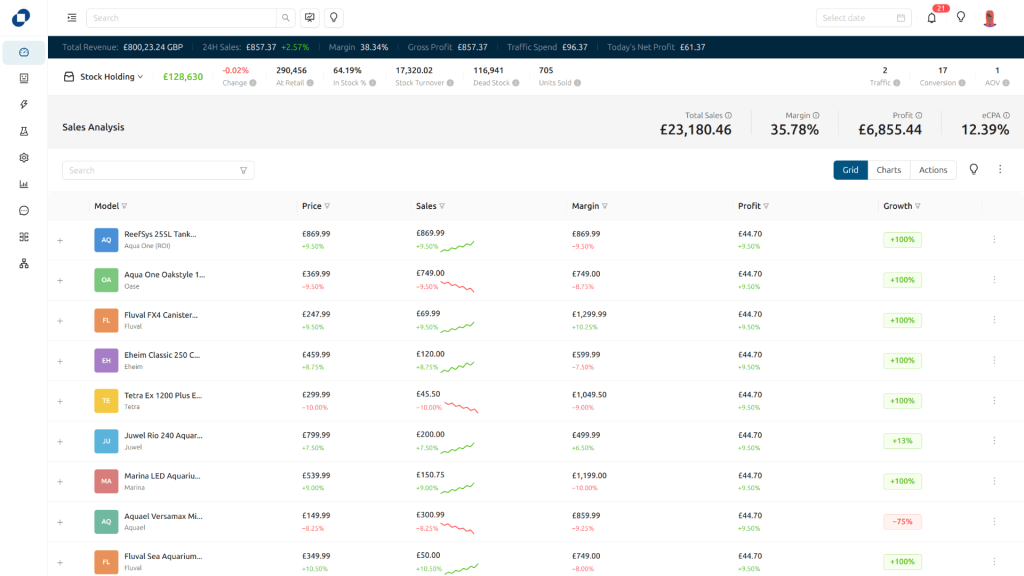
To view the repo prototype screens, click the below button, and then click the ‘Service Marketplace’ button on the login screen to enter the dashboard. Also click the corner logo to view Shopper admin screens.
What’s next
This isn’t a finished engagement. I’m currently designing a mobile insights product for the same client — carrying the same problem onto a smaller surface: how to make real-time predictive data legible and trustworthy when you’ve got a fraction of the screen to work with.